 Raudo
Raudo
IPTV Player for Windows · Free
The IPTV player for Windows that keeps up with live
Load your M3U playlist or Xtream Codes, skip past the ads and jump back to the exact moment. Catch-up, guide and recording, with the smoothness of a native Windows 11 app.
01 — The flagship feature
Eat the delay. Reach live.
Your IPTV always runs a few seconds behind what's actually happening —that's why you sometimes hear the neighbours cheer a goal before you see it—. Speed playback up to 4× and Raudo eats that delay until you're at the live edge: perfect for watching sport almost in real time.
A look inside
This is Raudo
Channels, movies and series — organized, fast and on your rhythm. Sample content.
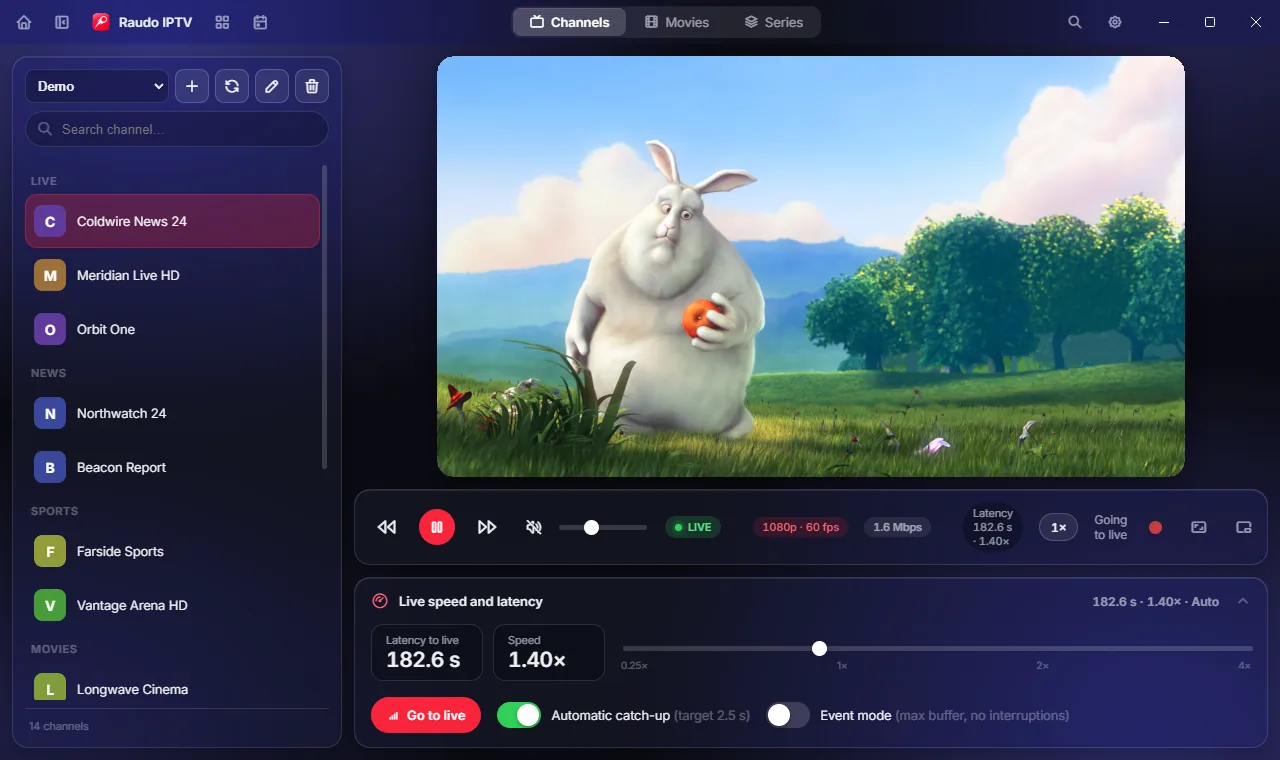
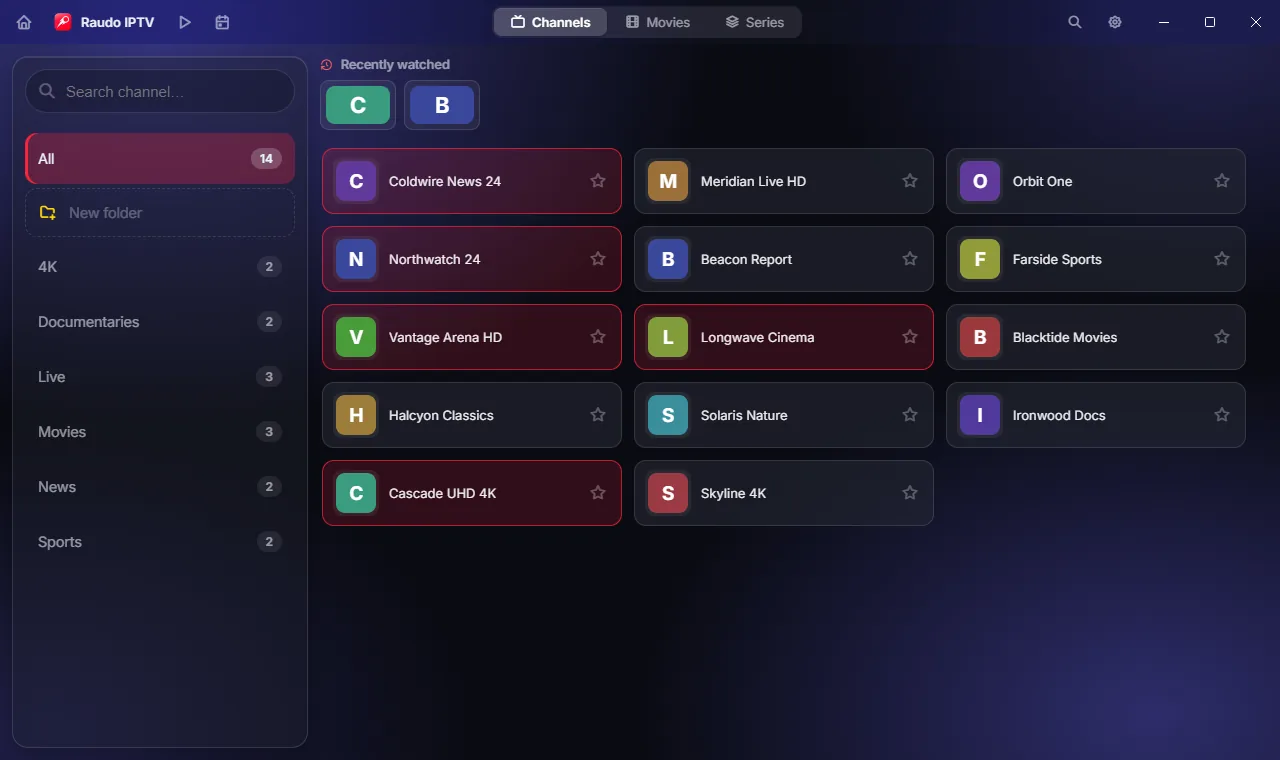
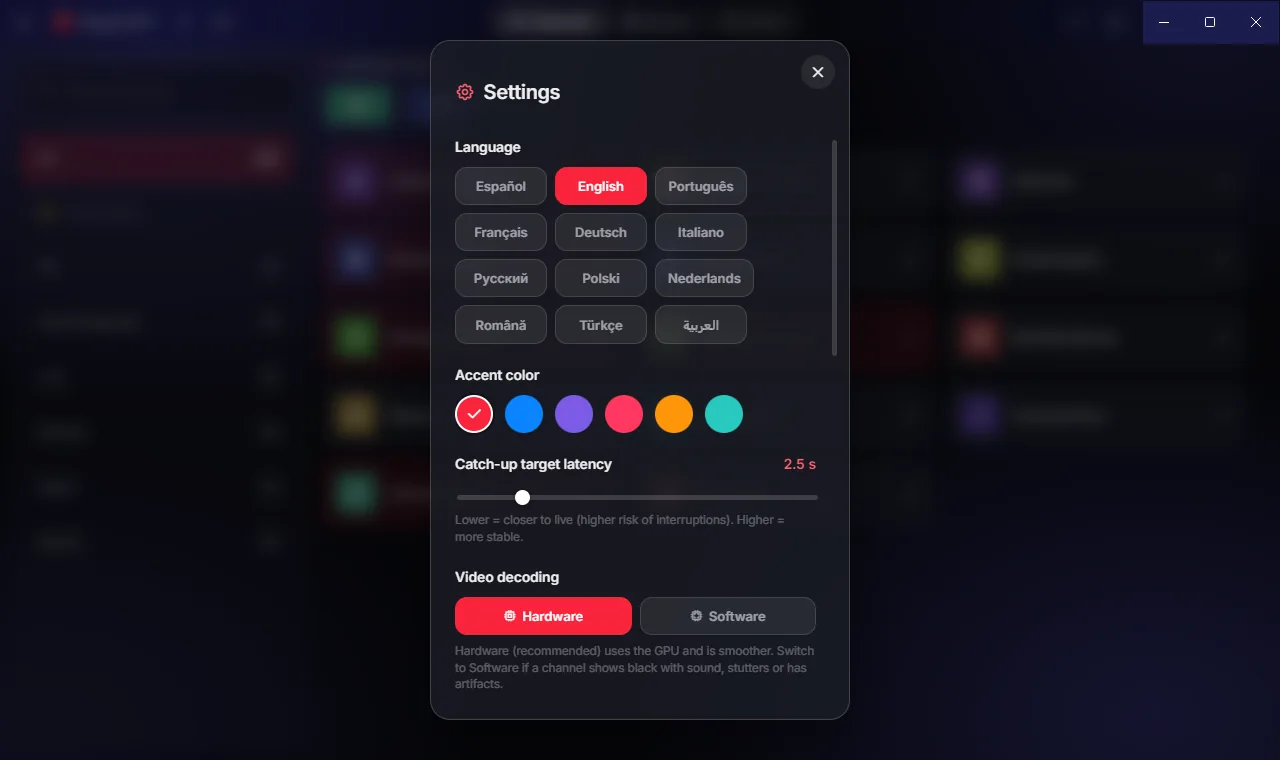
Features
Everything you want from an IPTV player
The features you actually missed in an IPTV player for PC.
Catch up to live
Speed up to 4× to eat the delay and watch live —especially sport— almost as it happens.
Catch-up and EPG guide
Rewind what already aired (timeshift) and browse the TV guide without missing a thing.
Record and picture-in-picture
Record any channel and keep watching it in picture-in-picture while you do something else.
Parental control
Lock categories with a PIN and organize your channels into folders your way.
Getting started is instant
How it works
Load your list
Paste your M3U/M3U8 or your Xtream Codes details. You bring your list.
Pick a channel
EPG guide, favorites and folders to keep everything at hand.
Fly to live
Catch-up and speed up to 4× to watch live with the least possible delay.
02 — Why Raudo
A player on another level
Native, fast and honest. Compare it with a typical IPTV player.
| Raudo | Others | |
|---|---|---|
| Native for Windows 10 and 11 | ||
| Free and no ads | ||
| Catch-up and EPG guide | ||
| Recording and picture-in-picture | ||
| Speed up to 4× to watch live with no delay | ||
| Updates itself |
Works with your playlists — Raudo is the player, you bring your list
Frequently asked questions
Is Raudo IPTV free?
Yes, free for Windows 10 and 11, no ads. And it updates itself.
What do I need to use it?
Your own playlist: an M3U/M3U8 link or your Xtream Codes details. Raudo is the player; it does not include channels or content.
Does it work with Xtream Codes and M3U?
Yes, both. Paste your provider's link or credentials and start watching in seconds.
What is catch-up and how do I "reach live"?
Catch-up rewinds what already aired. And since every IPTV stream runs a few seconds behind, speed control (up to 4×) eats that delay and brings you back to live right away — perfect for sport.
Why is my IPTV behind on live sports?
Every IPTV stream arrives a few seconds late: the player keeps a small cushion so the picture doesn't stutter. With Raudo you speed playback up to 4× —or leave it on automatic— and that delay is eaten up until you're watching the match almost as it happens.
Which Windows versions are supported?
Windows 10 and 11, 64-bit.